Getting Started
A quick tour of the Quantra workspace — how you move around, and the one control that ties everything together: the As-Of date.
Opening the app
Open the live demo, or after running your own instance open http://localhost:5173
in your browser. The free self-hosted edition runs as a single user — there's no login screen and no
password. It signs you in automatically as the built-in demo user (shown as dev@quantra.local in the top-right),
so you land straight on the Home screen.
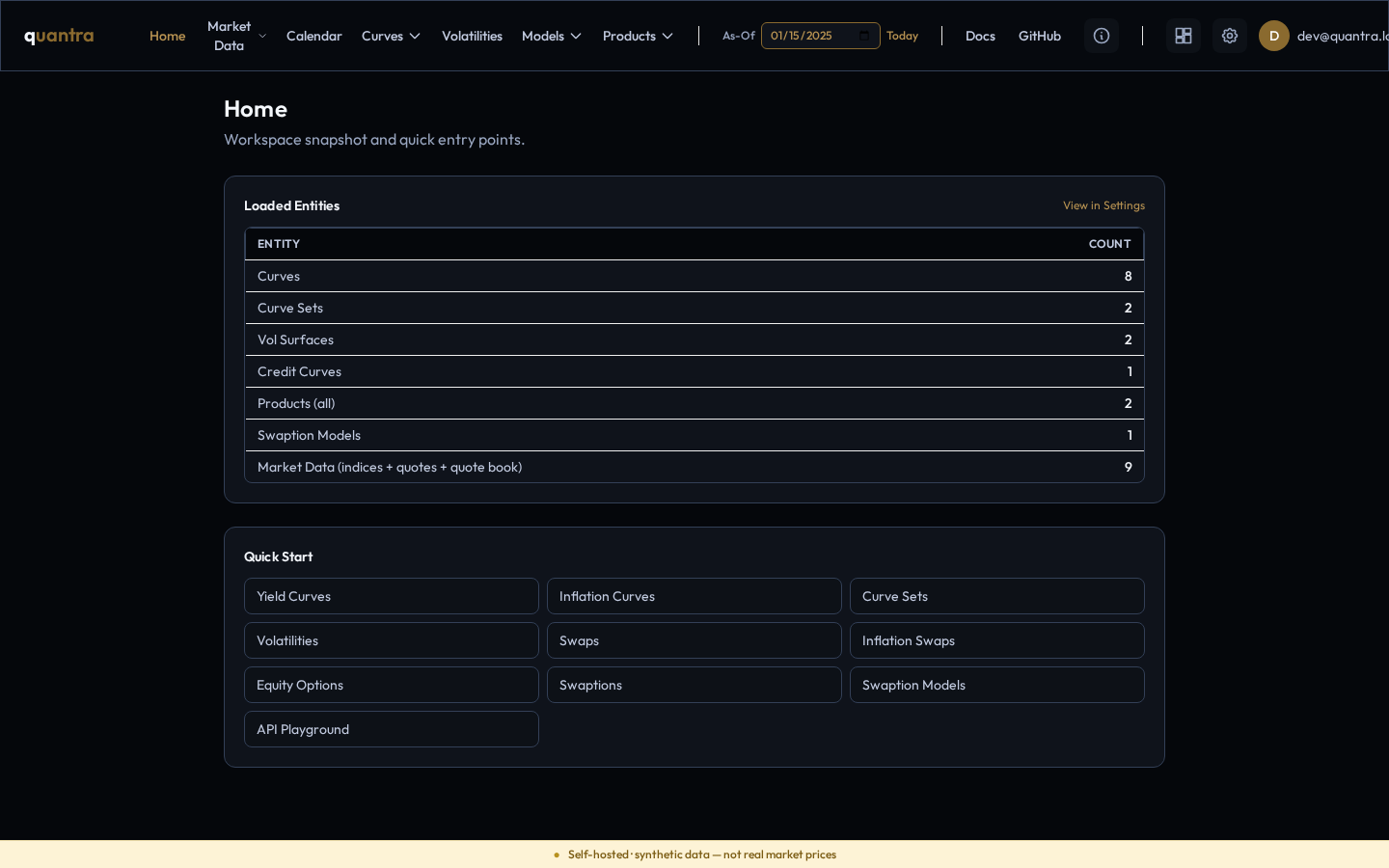
The top navigation
Every screen shares the same bar across the top. Left to right, the main menus are:
- Home — a workspace snapshot (how many curves, curve sets, products, etc. you have) plus quick-start shortcuts.
- Market Data — the Quote Book (the market-data catalog), the Import screen, and the Time Series Lab.
- Calendar — business-day, holiday, and date-advance tools backed by the pricing engine's calendars.
- Curves — yield curves, curve sets, credit curves, and indices.
- Volatilities — the vol workbench, where stored volatility surfaces are defined and sampled.
- Models — swaption and related model definitions.
- Products — the instruments you price: IR swaps, swaptions, bonds, CDS, equity options, inflation swaps.
On the right of the bar you'll also find a link to these Docs, a GitHub link, a Settings gear (data overview, import/export, preferences), and your user badge.
The As-Of date
The As-Of control in the header is the single most important setting in the app. It is the valuation date — the date “as of” which everything is computed. It controls two things:
- Pricing — every product is valued as of this date, so discount factors, accruals, and forward rates are all anchored to it.
- Market-data resolution — when a curve or product references a quote series, the app looks up each series' value as of this date.
Click the date to change it, or click Today to jump to the current date. The As-Of is global — it stays set as you move between screens, which keeps your whole workspace consistent.
Why the As-Of is prefilled. The app prefills the As-Of to the latest business day with ingested market data, so the curves resolve cleanly and you can price something immediately. Public feeds publish with a small lag, so this is usually the previous business day. If you set the As-Of to a date with no market data, pricing that depends on quotes won't resolve.
The synthetic-data banner
A soft banner sits at the bottom of every screen: “Self-hosted · synthetic data — not real market prices.” This is deliberate and honest — the demo data that ships with the bundle is synthetic, generated for exploration, not sourced from a live market feed. Numbers you get out of the box are for learning the tool and validating your models, not for trading or risk. When you import your own quotes, those values are tagged with their real source so you always know what's synthetic and what's yours.
Where your work is stored
Everything you create — curves, curve sets, indices, saved products, imported quotes — is stored on the local Quantra server (in the Postgres database), not in your browser. That means it's the same from any browser you open against the same install, and it survives restarts and upgrades. The Settings screen shows a live count of every entity you have.